Your hotel’s data, kept safe and yours
Who can get in, what gets recorded, how each hotel is kept apart, and how your records stay yours.
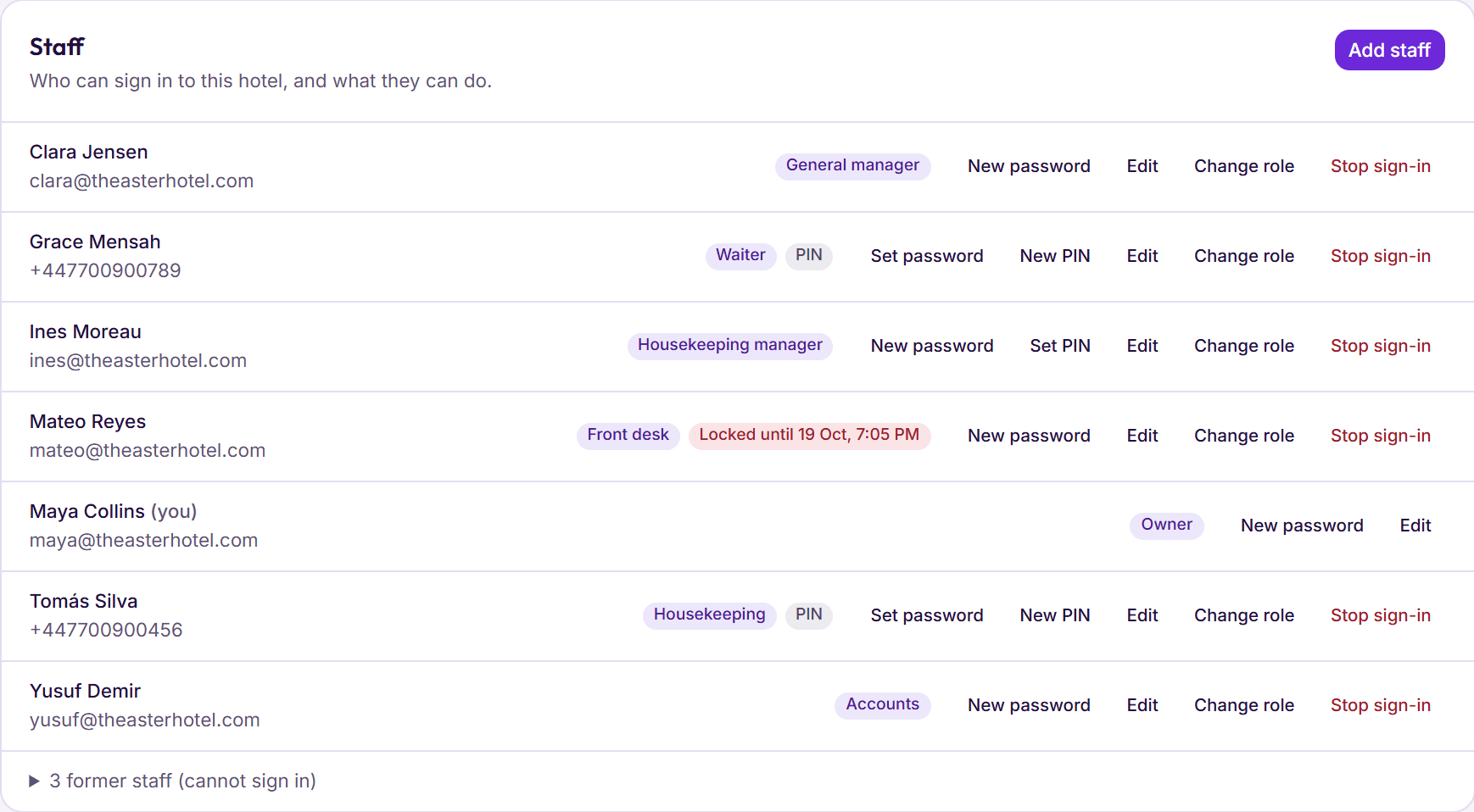
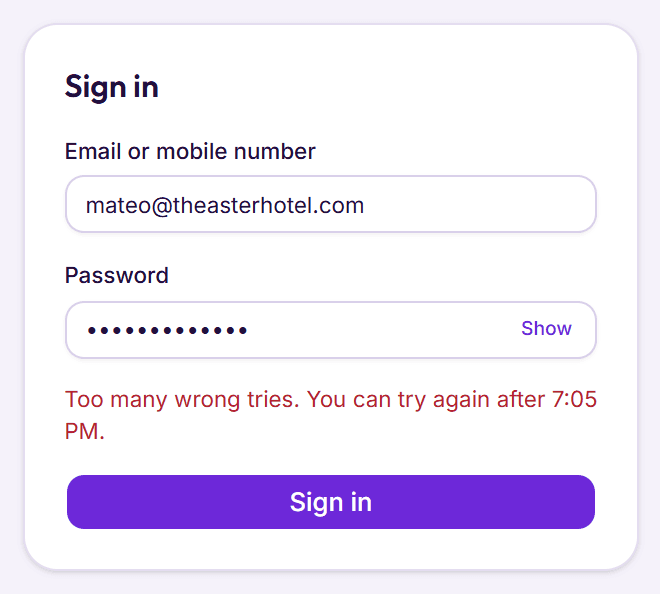
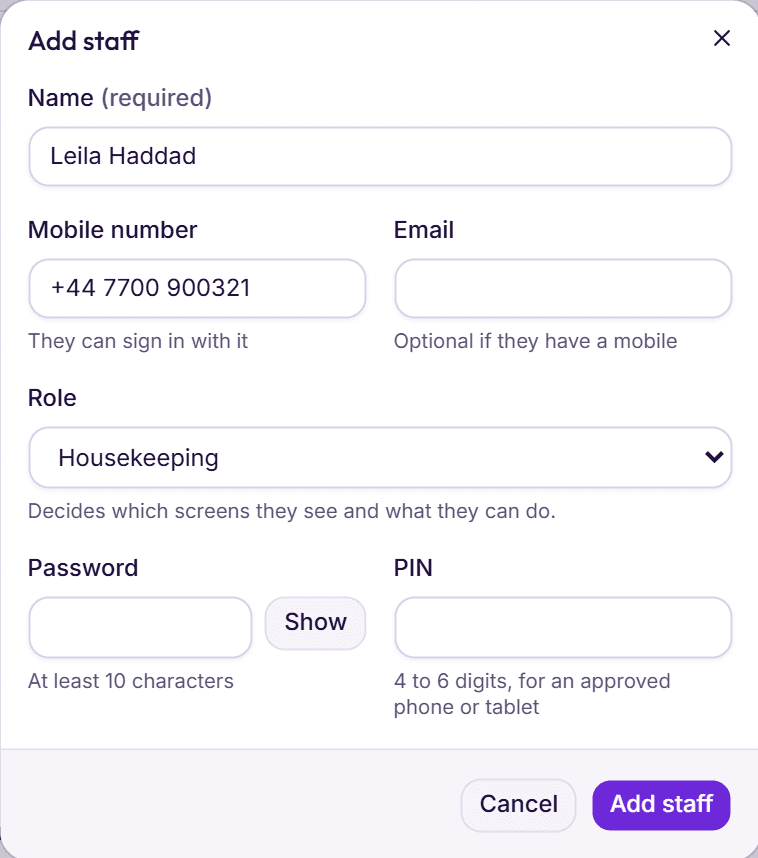
Everyone signs in as themselves, and BedKeys checks what each person is allowed to do.
A sign-in for each person
Staff use their own email or mobile number and a password. Nobody shares an account.
Locked after five wrong tries
Five wrong passwords in a row lock that sign-in for 15 minutes.
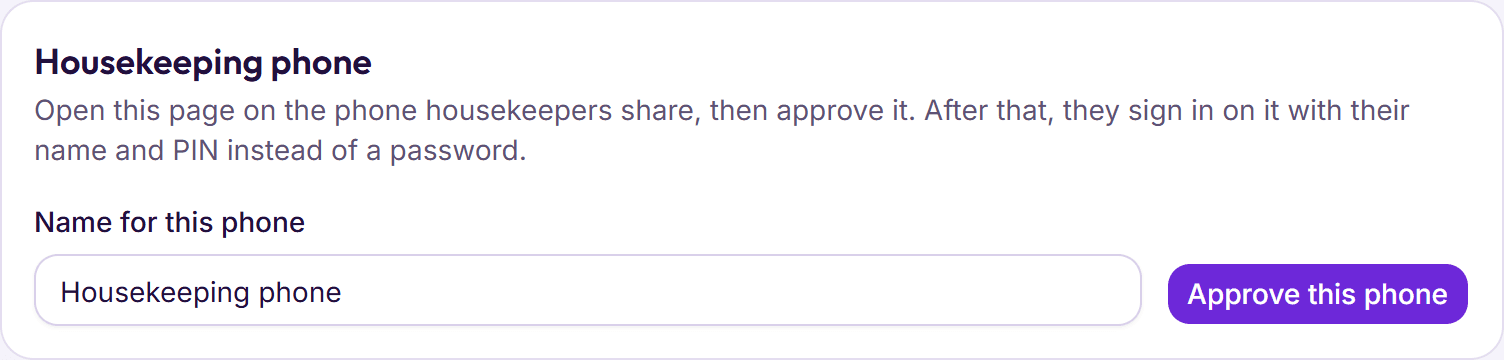
PINs only on approved phones
A short PIN works only on a phone the owner or a manager has approved.
Roles, checked on every action
Front desk, housekeeping, restaurant and accounts staff each get their own screens, and the server checks every action, not just the menu.
Passwords never kept as typed
Passwords and PINs are stored as one-way hashes. A password needs at least 10 characters.
Signing out ends it
Signing out or changing a password ends the session at once.
Mistakes with money are fixed in the open, so the history is always there to check.
A name on every charge
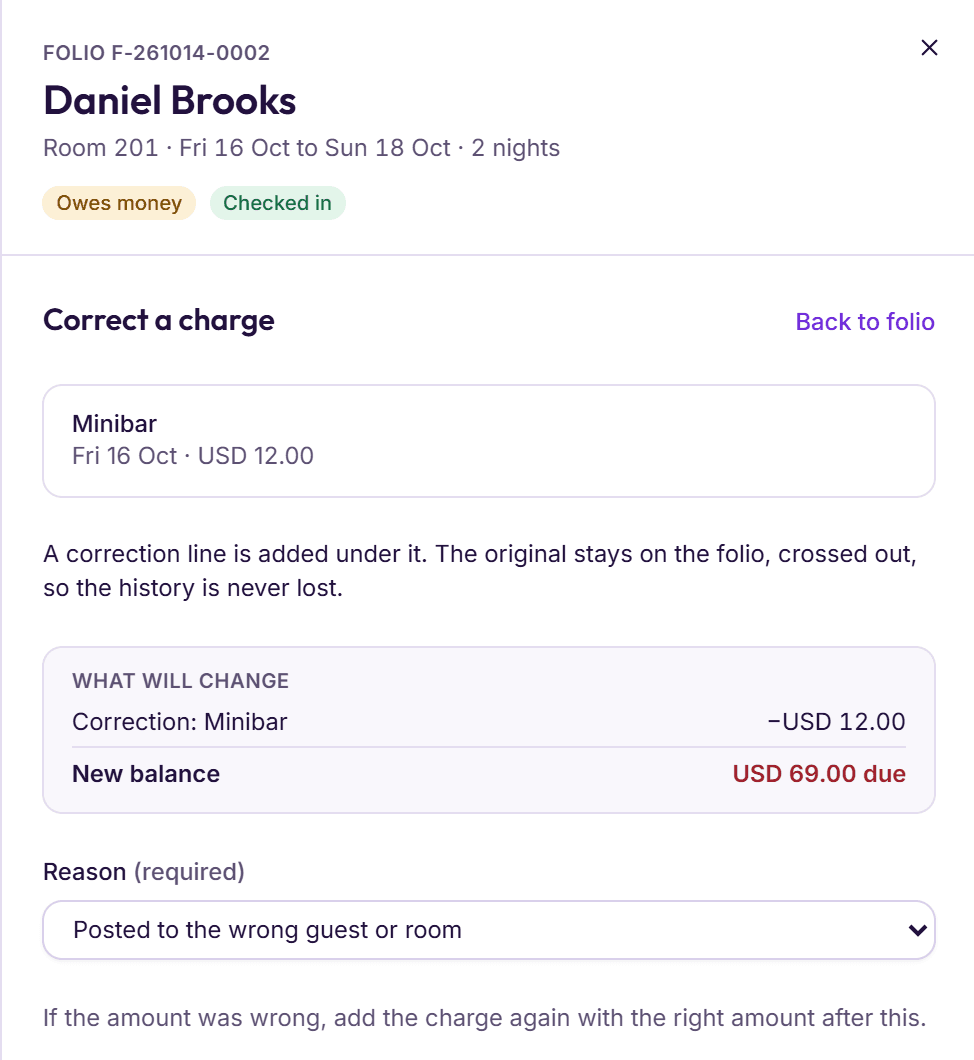
Each charge on a folio records the staff member who added it.
Corrected, never deleted
Charges and payments can’t be deleted. A correction needs a reason, and the original stays on the folio, crossed out.
Closed months stay closed
Once a month is closed in Accounts, nothing dated in it can be added or changed. Late records go to the next open day.
Approvals are kept
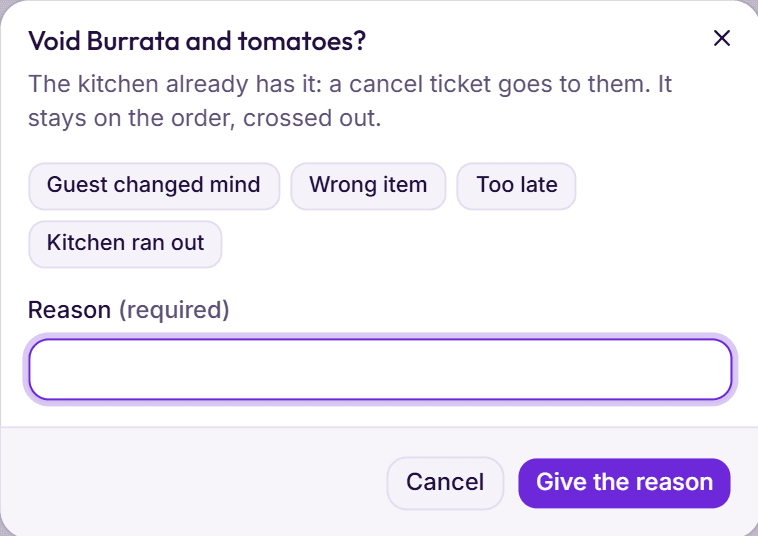
Restaurant voids and discounts need a manager’s PIN or password, and BedKeys keeps who approved them.
Checked after every Night audit
The Owner’s Watchdog lists cash short, large discounts, corrections and voids from the day just closed, with who did them.
Run one hotel or several: each one’s records stay its own.
One hotel per request
Every request is for one hotel, and BedKeys refuses any that tries to reach two.
Staff see their own hotels
People only see the hotels where they have a role. Owners switch between theirs from the sidebar.
Account keys encrypted
The keys for your WhatsApp Business and email accounts are stored encrypted and shown back only as dots.
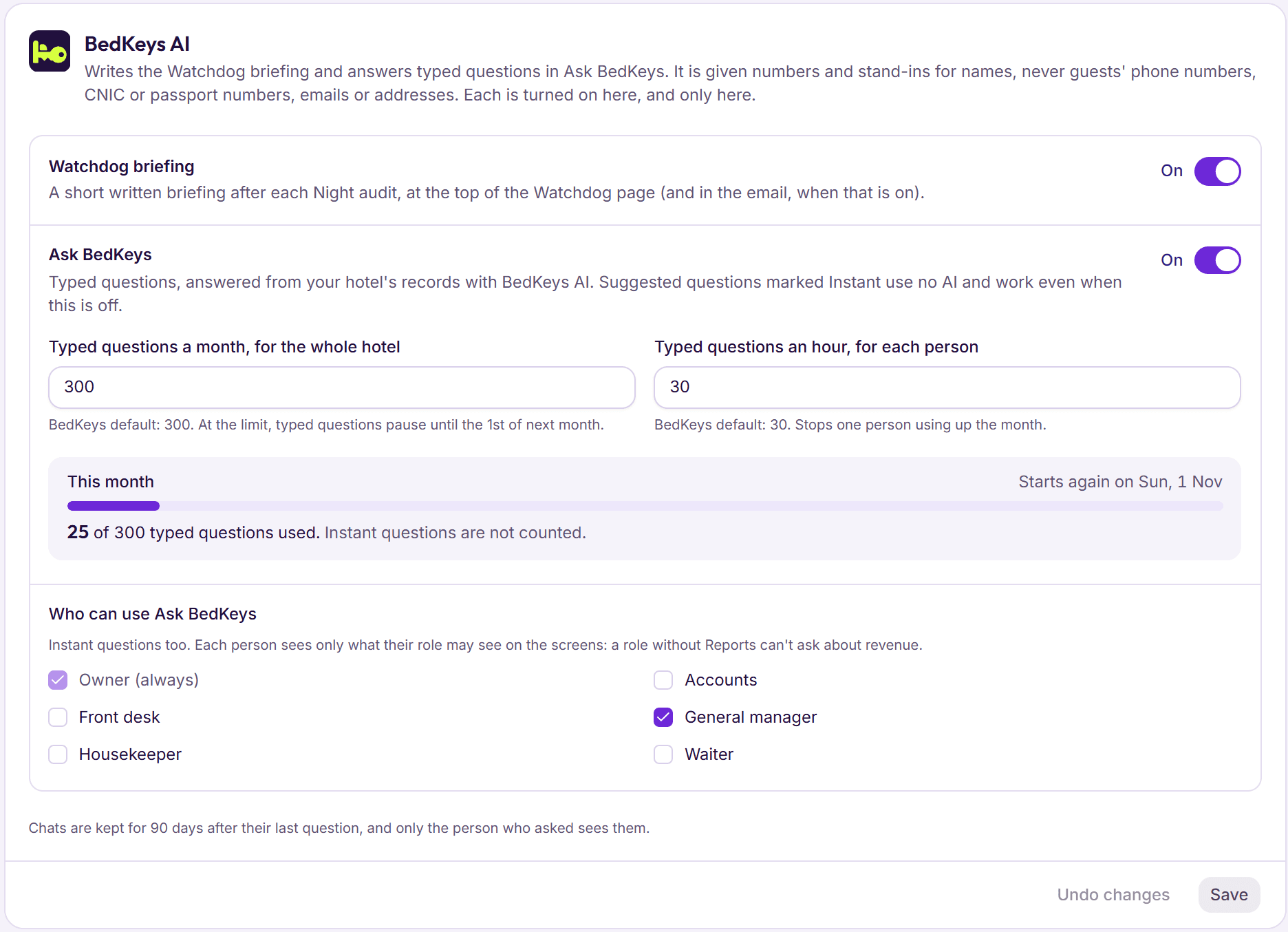
BedKeys AI writes the Watchdog briefing and answers typed questions in Ask BedKeys. It is off until the owner turns it on.
Only the owner switches it on
Each part has its own switch in Settings, and the owner chooses which roles may use Ask BedKeys.
No ID numbers or phone numbers
It never sees guests’ CNIC or passport numbers, phone numbers, emails or addresses, and anything that looks like one is removed again before sending.
Stand‑ins for names
In Ask BedKeys, guest and staff names reach the AI as stand‑ins and are put back only on your screen.
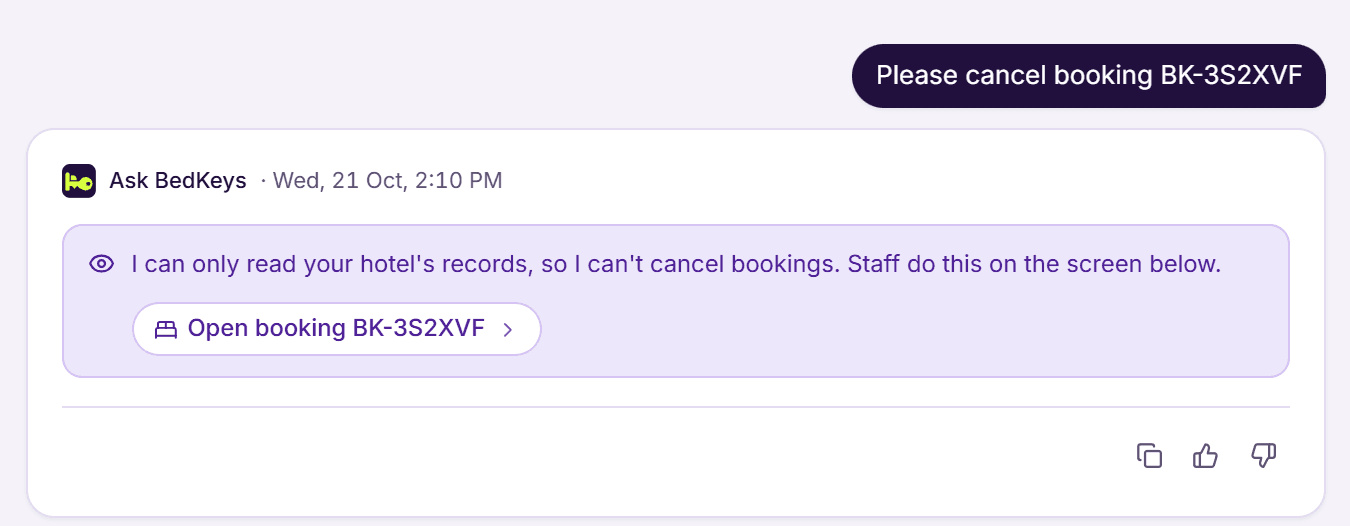
It only reads
Ask BedKeys can’t add, change or cancel anything. Every figure in an answer comes from your records.
A full copy when you ask
We send you your bookings, guests and bills whenever you ask, including if you leave.
Reports for Excel
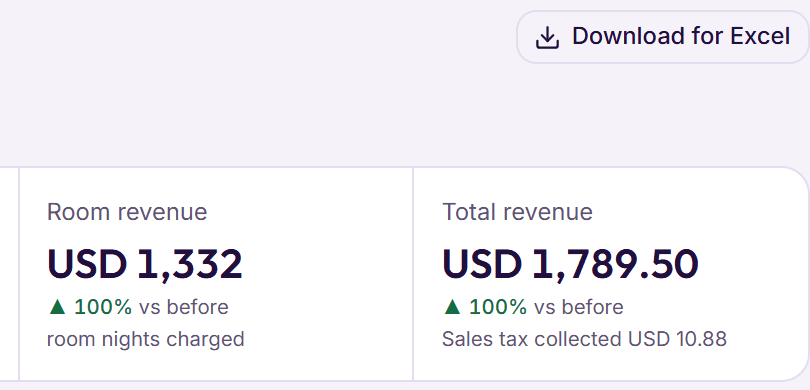
The performance report, trial balance and journal download for Excel whenever you need them.
Your hotel’s records live in the cloud, so a broken or stolen computer at the desk loses nothing.
In the cloud
BedKeys runs in professional data centres, not on a computer at your hotel. Sign in from any computer or phone.
Encrypted on the way
Every connection to BedKeys is encrypted, at the desk and on staff phones.
Backed up every day
Your data is backed up daily, and each backup is kept for 30 days.
Deleted when you ask
After you leave we keep your data 30 days for your copy, then delete it. Backups are gone within 30 more days.