Every shift counted, every day closed, every month locked
Cash is counted at the end of each shift, the night audit closes a day only once it is sorted, and folios, payments and the restaurant post to the books by themselves.
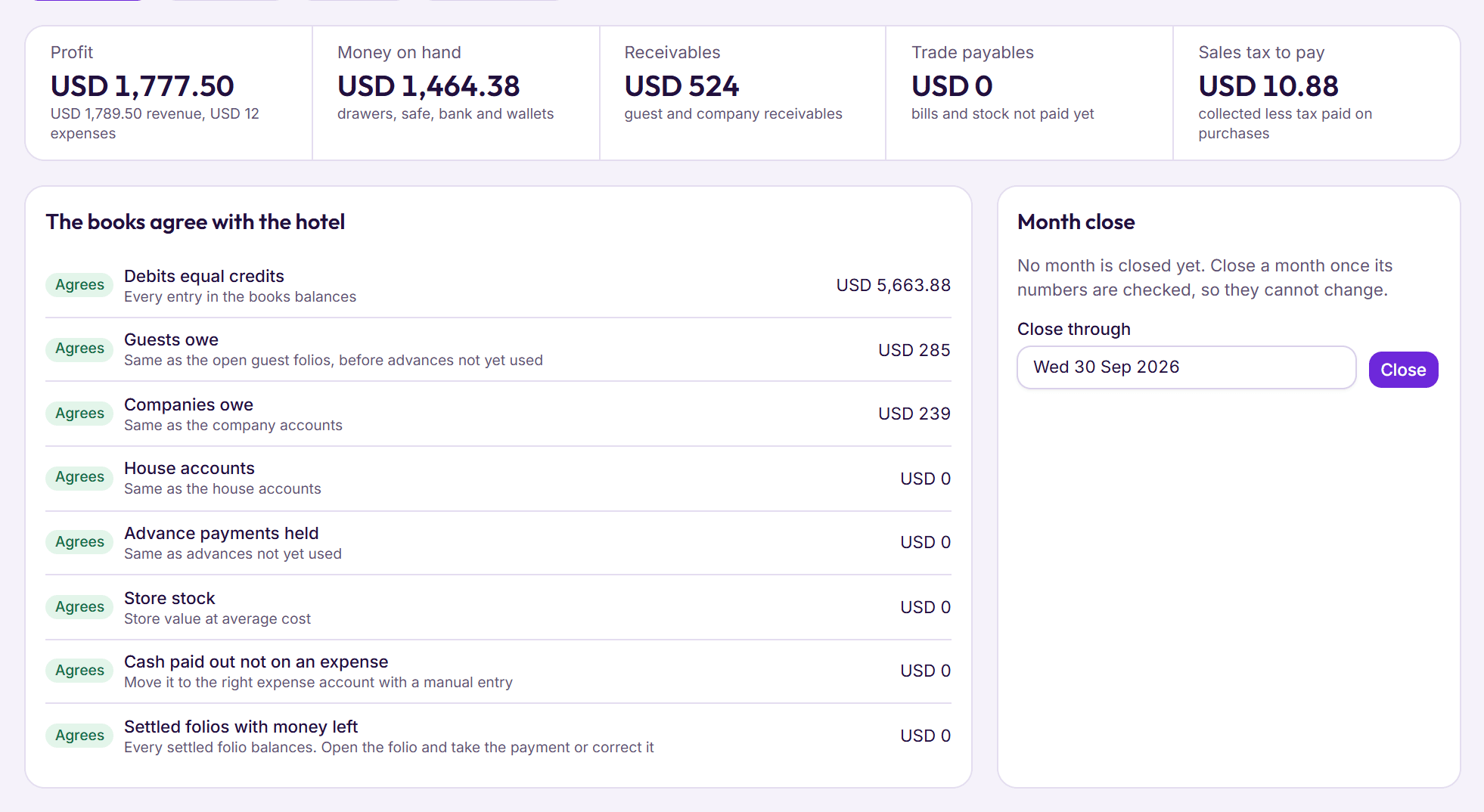
Step 1: Count the drawer at the end of each shift
Cash from folios, advance payments and restaurant bills goes into the open shift by itself. At the end, staff count it and BedKeys says short, over or that it matches.
- Paid out, sent to the safe and banked, each with a note
- Hand the drawer to the next shift with the counted cash
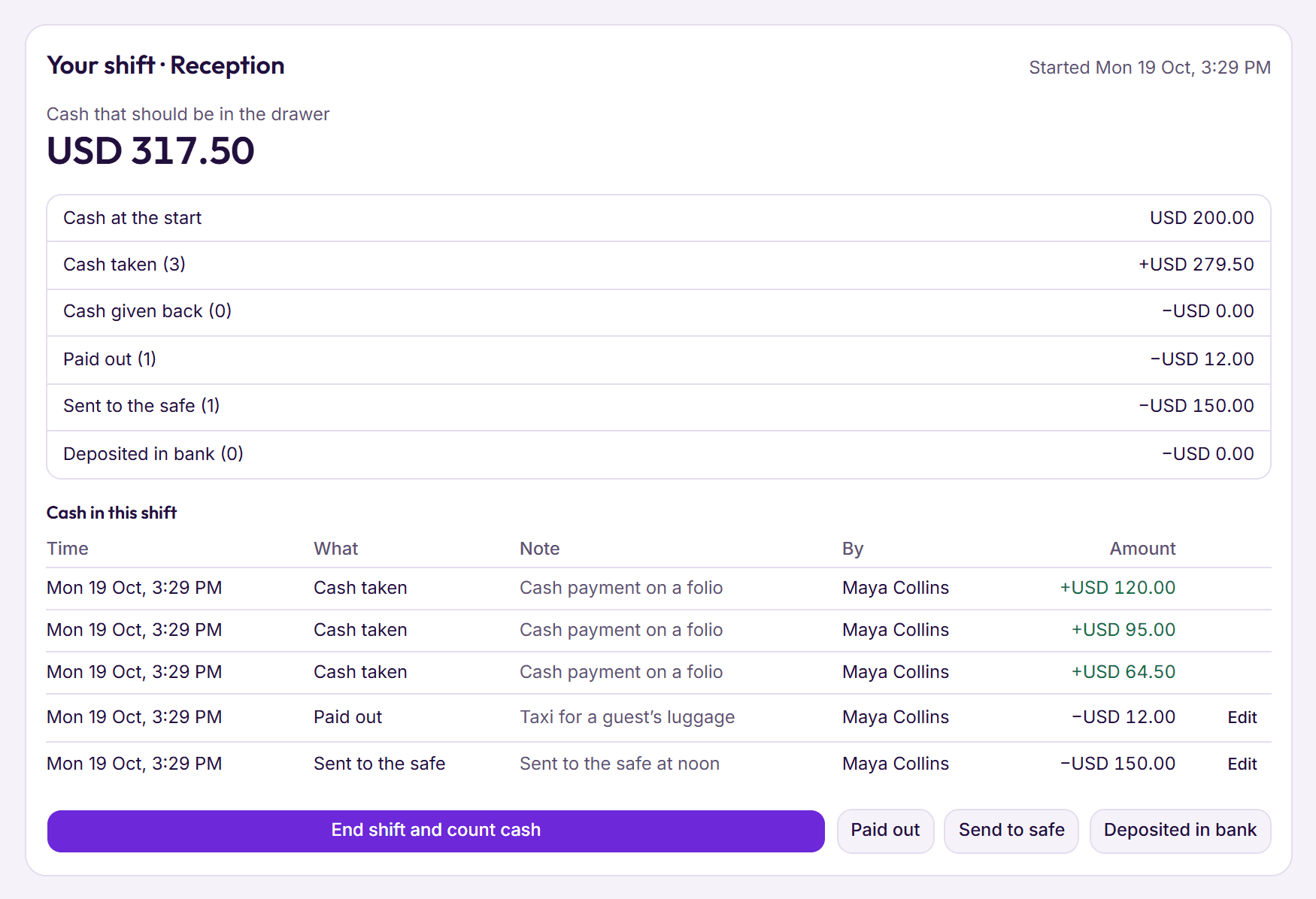
Step 2: Close the day with the night audit
Bookings due today, guests due to leave and open shifts are sorted first. Then each in‑house guest’s room night goes on their folio at the price agreed at booking, and the hotel date moves on.
- A short or over needs a tick to say the manager knows
- Staff can’t change charges from a closed day
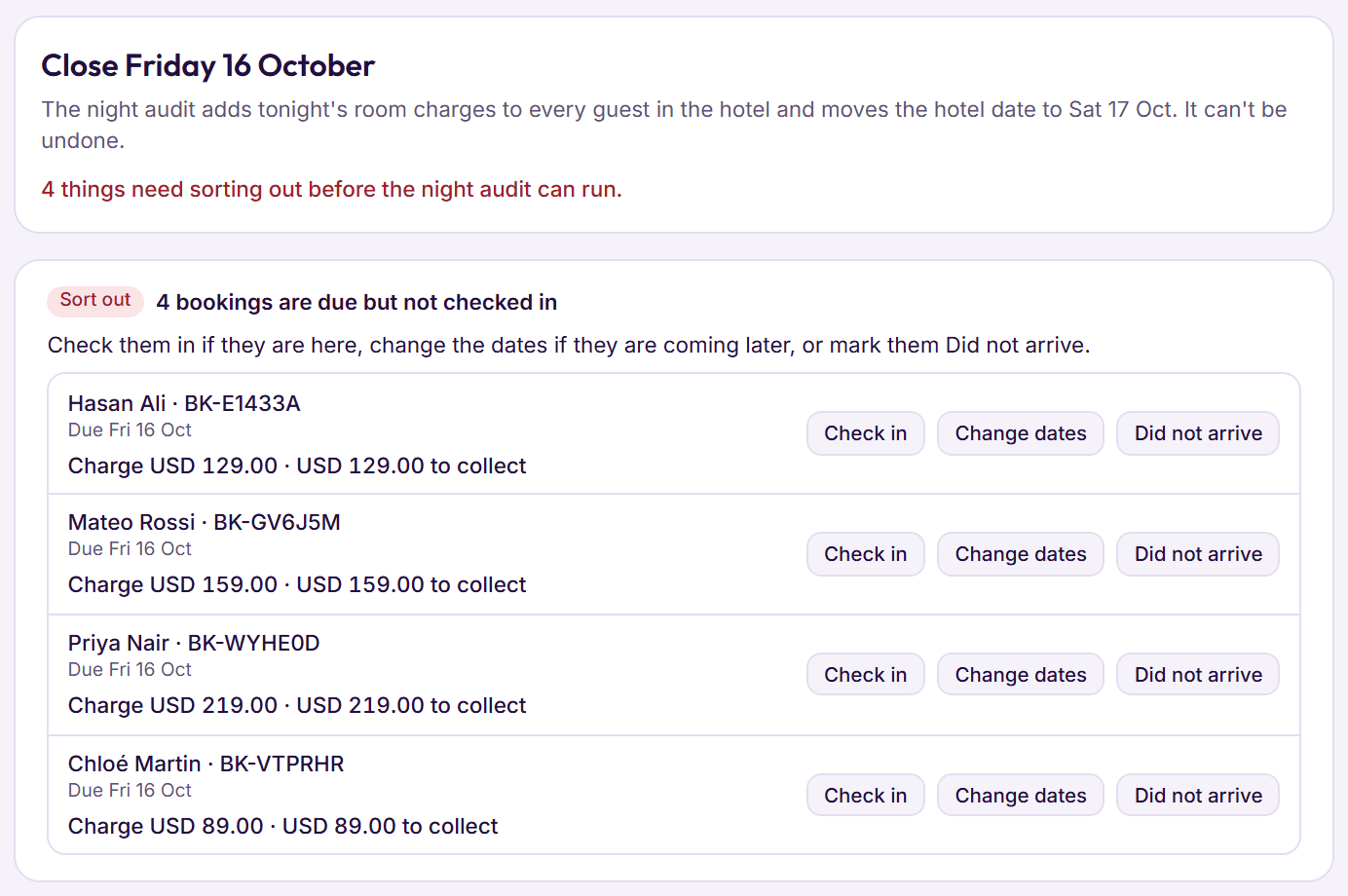
Step 3: Bill companies and follow up what’s owed
Send a stay to a company account within its credit limit, gather stays onto a numbered invoice, and see what is owed at 30, 60 and 90 days.
- Payments clear the oldest invoices first
- A statement of account ready to print
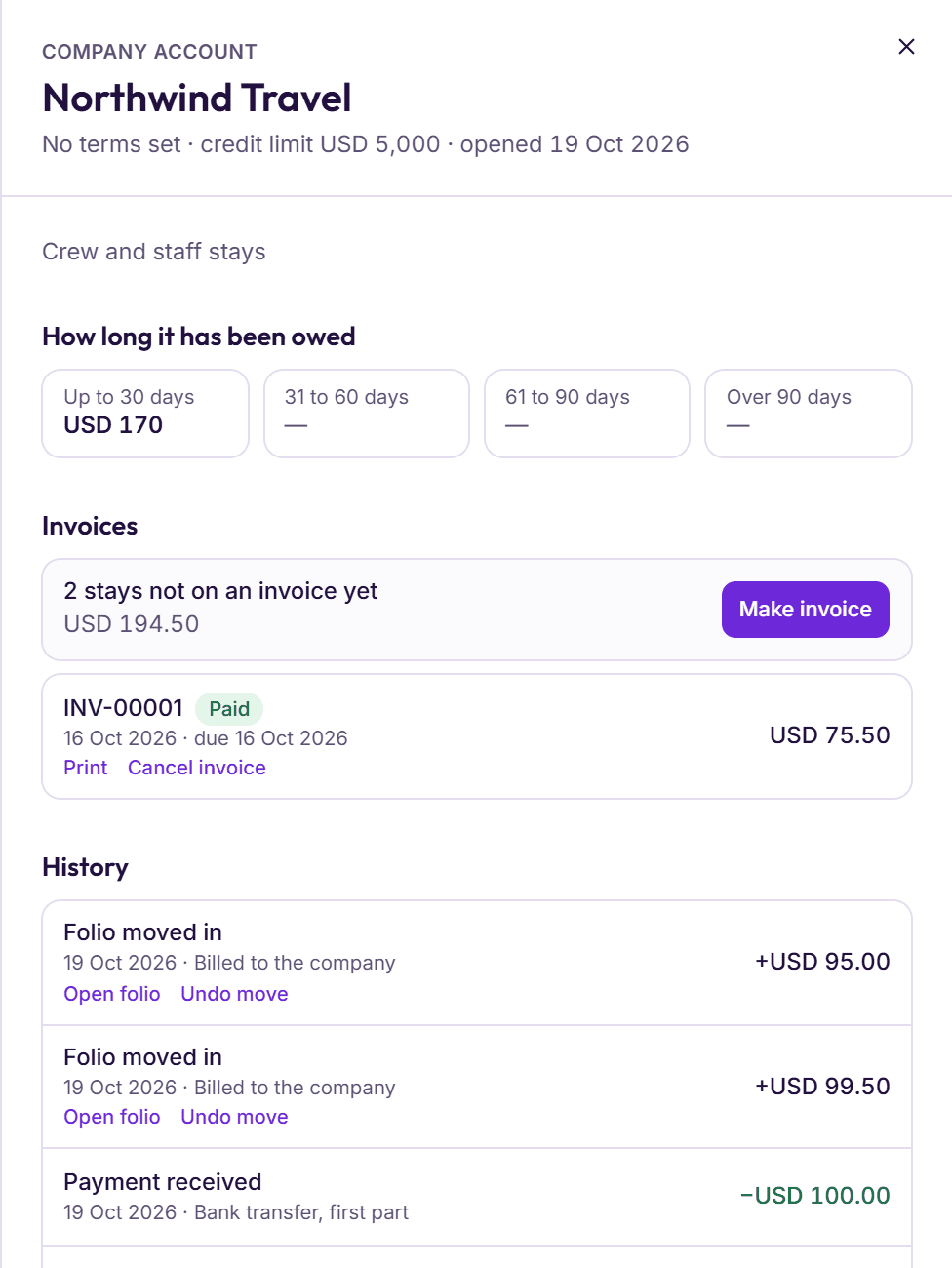
Step 4: Read the books, then lock the month
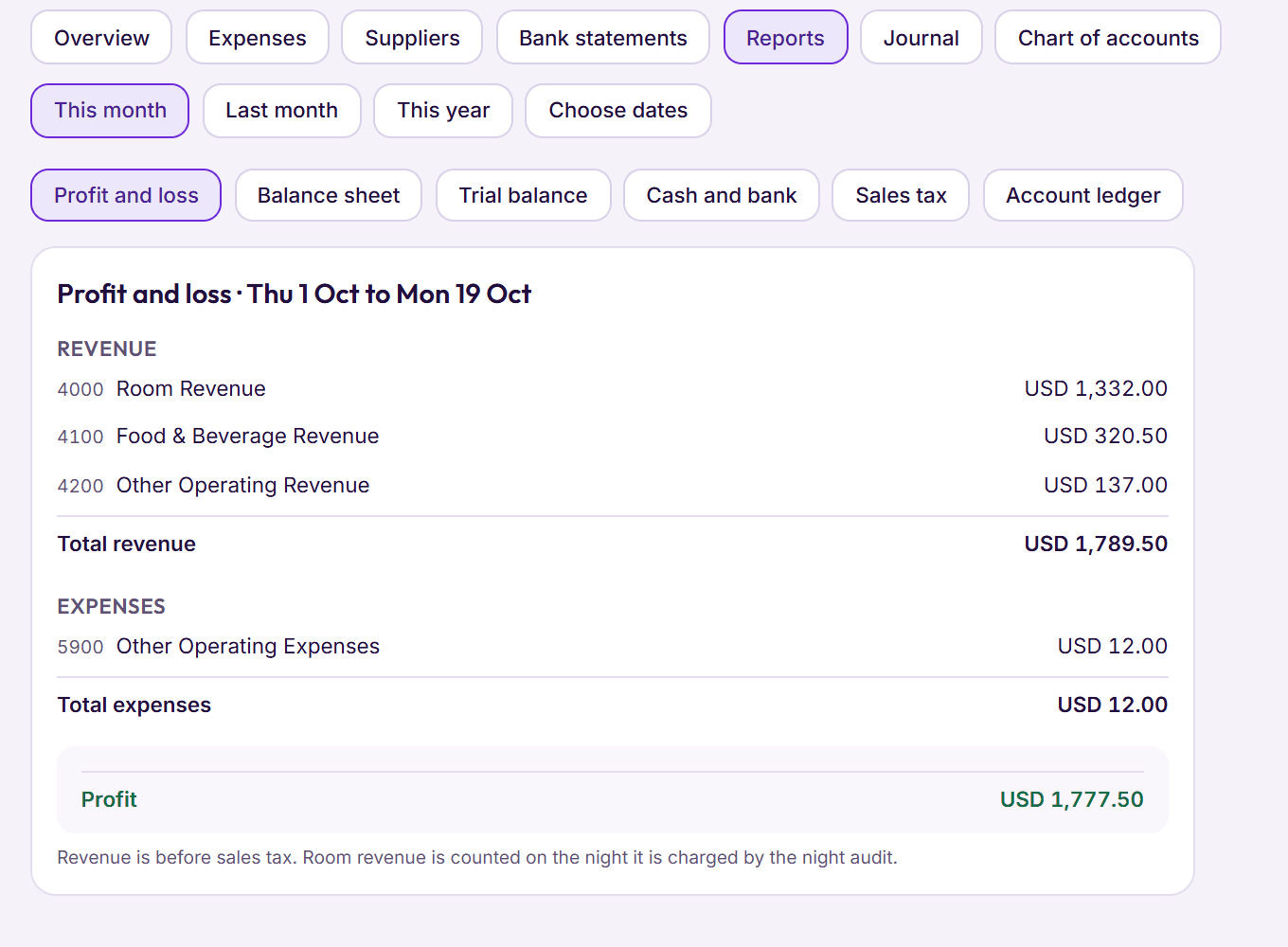
Profit and loss, balance sheet, trial balance and sales tax, for any dates. Once a month is checked, close it and nothing dated in it can change.
- Eight checks show the books agree with the hotel
- Trial balance and journal download for Excel
Advance payments
Taken before arrival, kept or given back by the rate’s cancellation rules, and taken off the folio at check‑in.
Corrections
A wrong charge stays on the folio crossed out, with its reason and its tax reversed.
Money back
Give a guest in credit their money back in cash, by bank or by wallet, with a refund receipt.
Moving charges
Move all or part of a charge to another folio, with its share of the tax.
Expenses and suppliers
Bills with their sales tax, paid now or later, and what each supplier is owed.
Bank statements
Tick each line against your statement until the difference is zero.
Sales tax
Tax charged on sales, less tax paid on purchases: what you owe.
Performance report
Occupancy, average rate, RevPAR and booking sources, against the period before.
Day report
Rooms sold, money received by each method and each tax by name, for any day.
Chart of accounts
Forty accounts to start with; add, rename or retire your own.
Printed folios and receipts
Your tax numbers, each tax by name, and corrections shown with their reason.
Who sees the books
Accounts staff, the manager and the owner. Others see only what their job needs.
Something else on your mind? See every question, or book a demo and ask us directly.
Can a closed day be changed?
Staff can’t change charges from a day the night audit has closed; an owner or manager can. Closing a month locks everything dated in it.
Does BedKeys work out my sales tax?
It adds the rates you enter, shows each tax by name on folios and invoices, and the sales tax report shows what you collected less what you paid on purchases. Filing the return is still yours to do.
Can my accountant use the numbers?
Yes. Reports print from the browser, and the trial balance, the journal and the performance report download for Excel.