Direct bookings, on a page with your hotel’s name
Guests choose their dates, see every room with photos and a price that already includes tax, and book in a few steps. The booking lands in BedKeys like any other. Included in BedKeys Direct, with no booking commission.
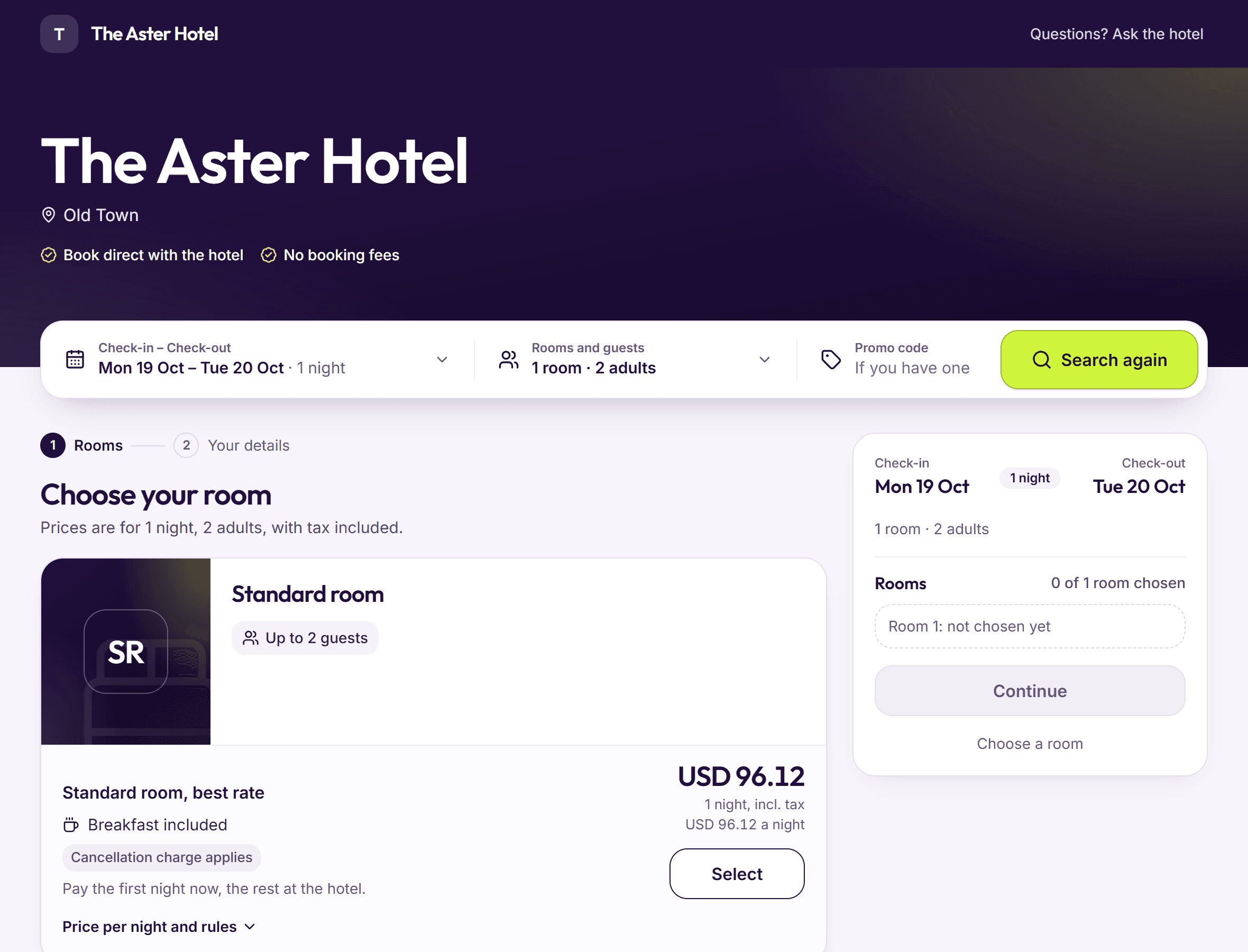
Step 1: Guests choose their dates
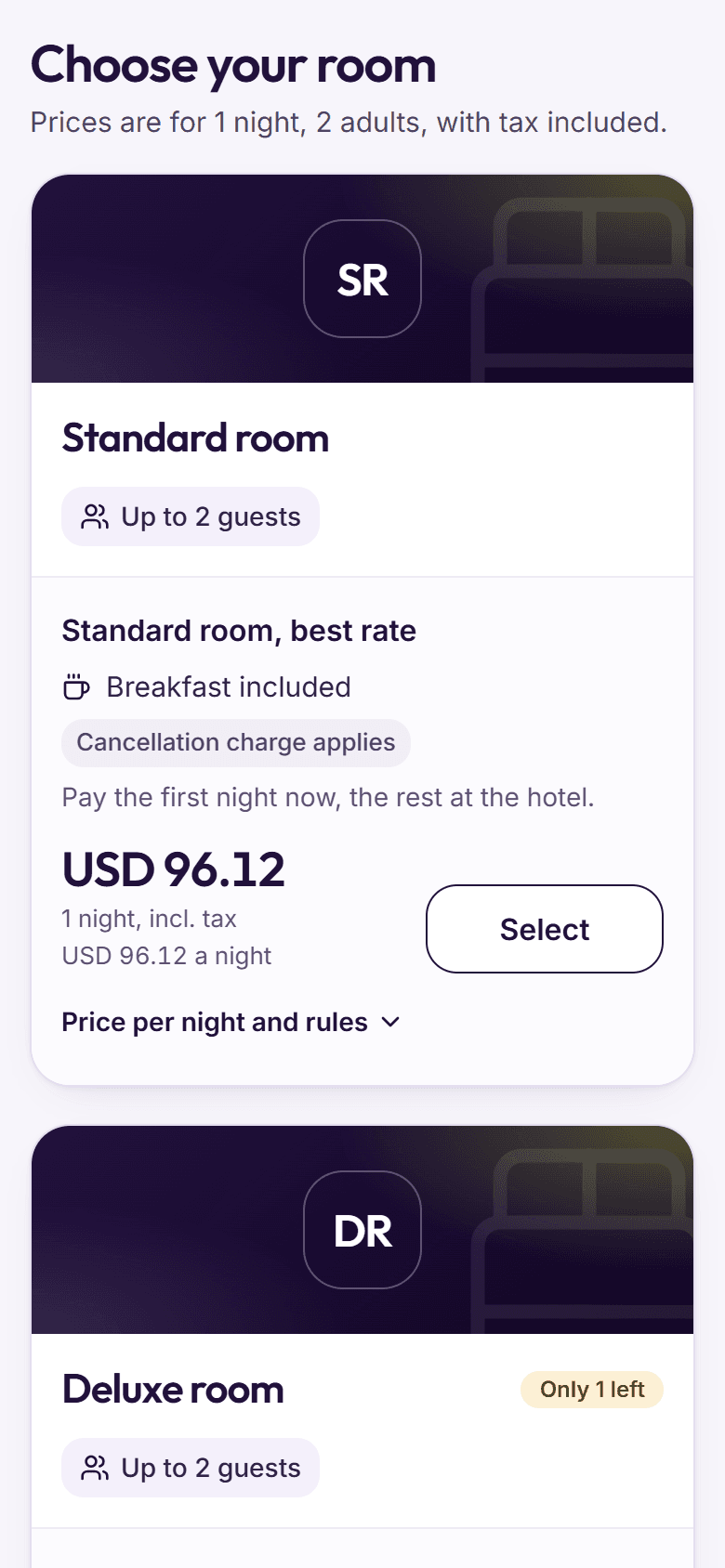
Dates, rooms, adults and children, and a promo code if you gave them one. Each room type shows its photos, beds and how many rooms are left.
- Every price includes tax
- No rooms on those dates? Nearby free dates are suggested
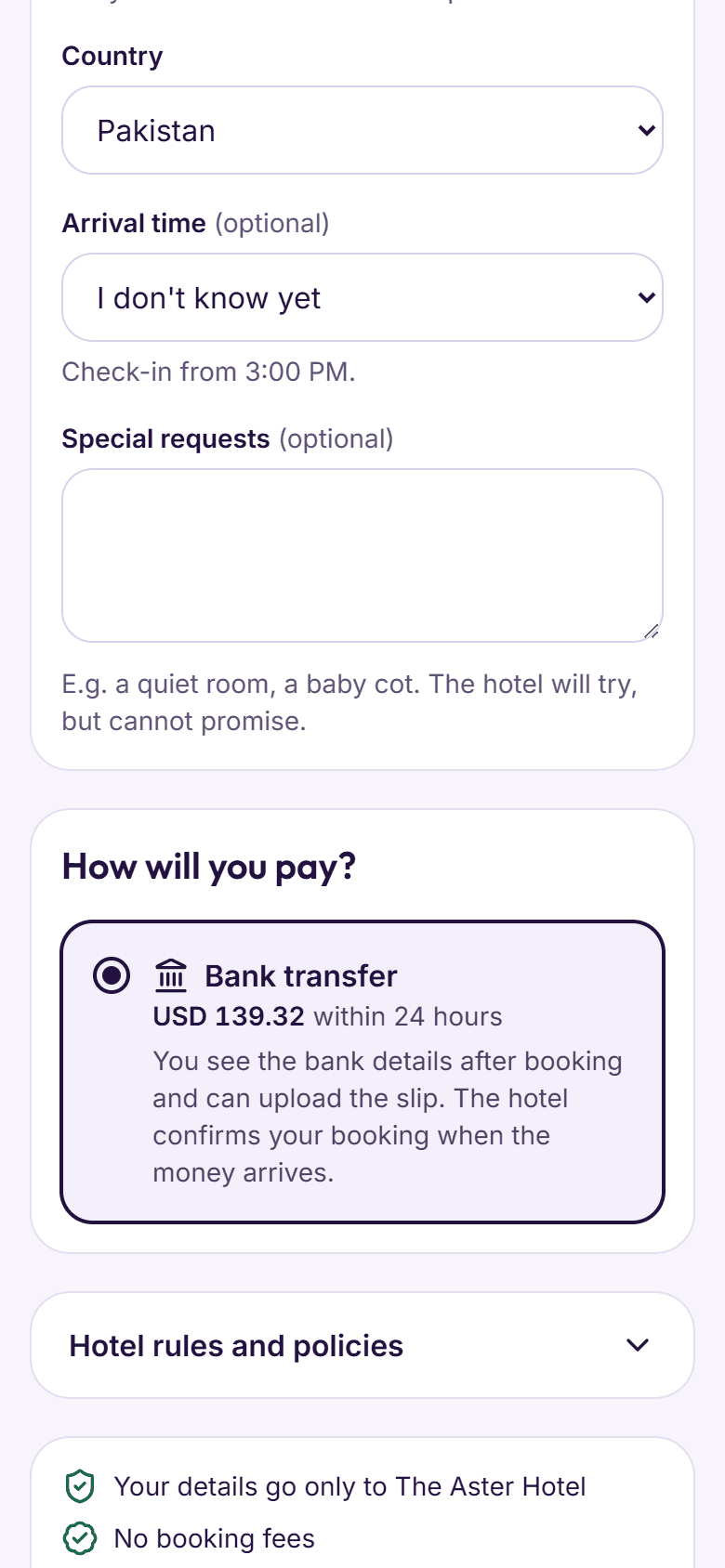
Step 2: They book without an account
Name, mobile and arrival time, plus any questions you want answered. The free‑cancellation deadline is shown before they confirm.
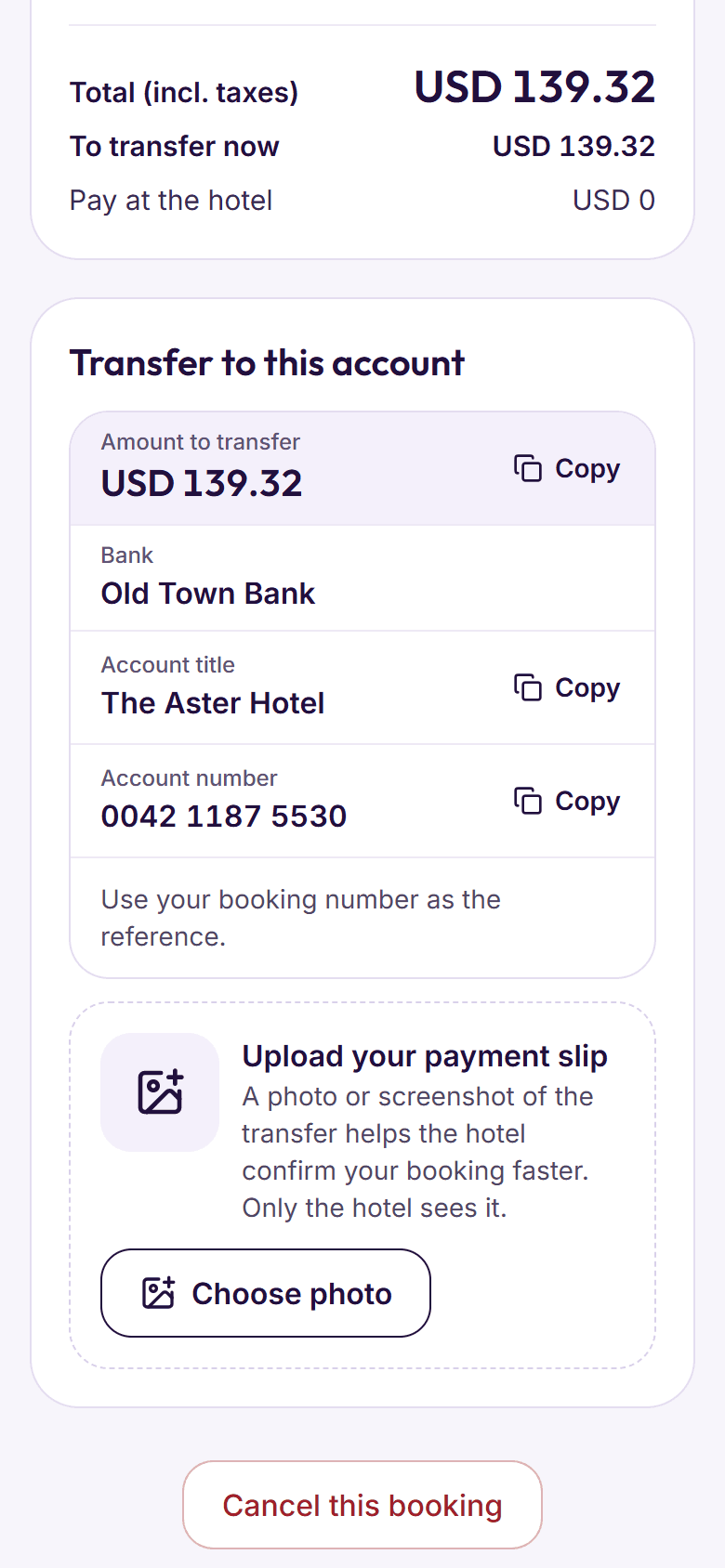
- Pay at the hotel, or by bank transfer with a photo of the slip
- Unpaid transfers cancel themselves after the time you allow
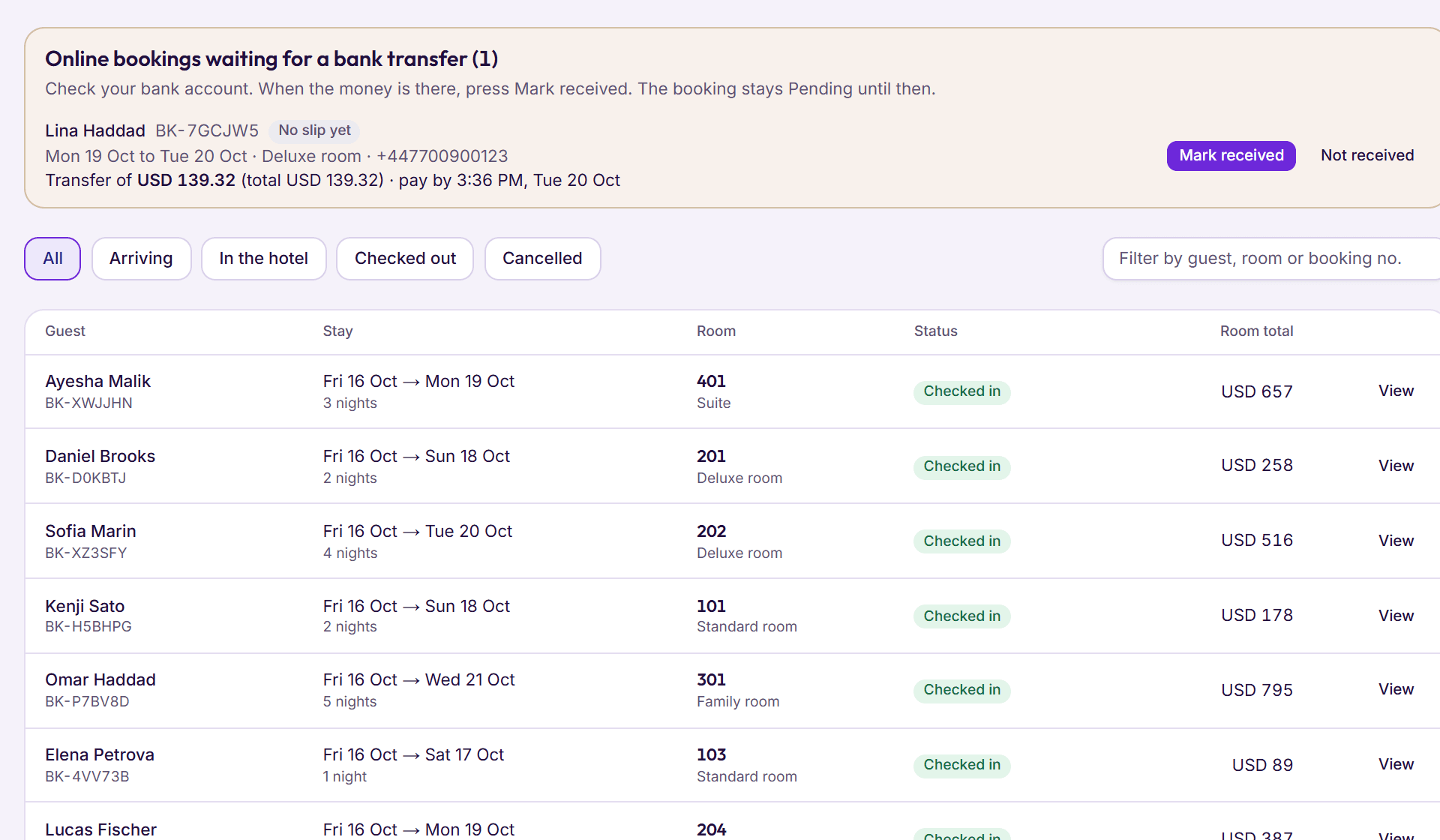
Step 3: It lands at your desk
The booking shows up in BedKeys with a Website tag. Bank slips wait in Bookings for someone to mark the money received.
- Rooms are taken off sale the moment it is booked
- A confirmation can go out by itself
Step 4: Guests look after their own booking
With their booking number and mobile or email, guests see what they have paid, send a slip, or cancel once they have seen what it will cost.
Your look
Your logo, two colours, a few lines about the hotel and your house rules.
What’s on sale
Choose which room types and rates guests can book online.
Advance rule
Nothing now, the first night, a percentage or the full stay.
Promo codes
Codes with their own discount and a minimum number of nights.
Book now button
Copy and paste a button or a search box into your own website.
Ready‑made links
Share a link with the dates, guests or a promo code already filled in.
Tonight’s cut‑off
Stop same‑day bookings after a time you choose.
Your questions
Up to 20 questions of your own, answered as guests book.
WhatsApp and call buttons
Guests reach you from the page in one tap.
Something else on your mind? See every question, or book a demo and ask us directly.
How do guests pay?
At the hotel, or by bank transfer: they see your bank details, send a photo of the slip, and someone at the desk marks the money received.
Do I need a website?
No. Your booking page has its own link to share on WhatsApp, Instagram or your Google listing. If you do have a website, add a Book now button or a search box to it.
Can a room be booked twice?
The page only offers rooms that are free in BedKeys, after taking off rooms out of order tonight.